
quick AI solution
Quick AI solutions are tools that help businesses deploy AI systems in days instead of months. They use pre-built frameworks to integrate seamlessly with tools like Salesforce, QuickBooks, and Excel, cutting down implementation time and costs. These solutions are ideal for mid-sized U.S. businesses that need fast results without complex setups.
Key Benefits:
- Faster Deployment: Get AI agents running in as little as 30 days.
- Cost Savings: Fixed monthly pricing avoids high consulting fees.
- Automation: Streamline tasks like client onboarding (up to 80% automated) and deal reviews (time reduced from 6 days to 1 day).
- Ease of Use: Built-in integrations with popular tools simplify adoption.
How It Works:
- Set Goals: Identify tasks to automate (e.g., data entry, onboarding).
- Technical Setup: Connect AI to existing systems using APIs and cloud hosting.
- Team Readiness: Train staff and align stakeholders to ensure smooth adoption.
- Deploy: Start small with low-risk tasks, then scale up.
- Monitor: Use real-time dashboards to track AI performance and refine systems.
Starter Stack AI offers two plans:
- Foundation Plan: $5,000/month for automating one operation.
- Growth Plan: $9,000/month for automating multiple workflows.
These solutions help businesses save time, reduce errors, and improve efficiency - all while adhering to U.S. standards for data privacy and compliance.
Requirements for Quick AI Deployment
Technical Setup
Many mid-sized businesses in the US already have the basic infrastructure needed to roll out AI quickly.
Start with data accessibility. Your AI tools need to connect with existing systems like Salesforce, QuickBooks, or Excel. This can usually be done through APIs or even simple export functions.
Next, consider integration capabilities. Choose AI platforms that seamlessly integrate with widely used US business tools. Look for solutions with pre-built connectors to avoid the hassle of custom integrations, which can slow things down.
Finally, ensure you’re using scalable, cloud-based hosting. This approach handles API calls and data processing efficiently, without requiring you to manage internal servers.
Team Readiness
Your team's preparedness often plays a bigger role in deployment speed than the technology itself.
- Stakeholder alignment: Identify key players in departments like finance, operations, and customer service. Clearly communicate how AI will benefit their workflows to minimize pushback and speed up adoption.
- Process documentation: Map out current workflows to pinpoint which tasks can be automated and which still require human input.
- Change management: Start small with quick wins, such as automating repetitive tasks. This helps build confidence and support across the team.
US Business Standards
Adhering to US business norms ensures smoother integration and better acceptance.
- Follow US formatting conventions: display monetary values as $1,234.56, use commas as thousand separators, and format dates as MM/DD/YYYY. Use the 12-hour clock (e.g., 9:00 AM EST).
- Make sure your AI tools comply with local data privacy regulations, like the CCPA in California or Virginia's CDPA. Many platforms come with built-in compliance features to simplify this process.
- Ensure all AI-generated communications use a direct and professional tone that aligns with US business writing standards.
Tools for Fast AI Deployment
Starter Stack AI: Main Platform
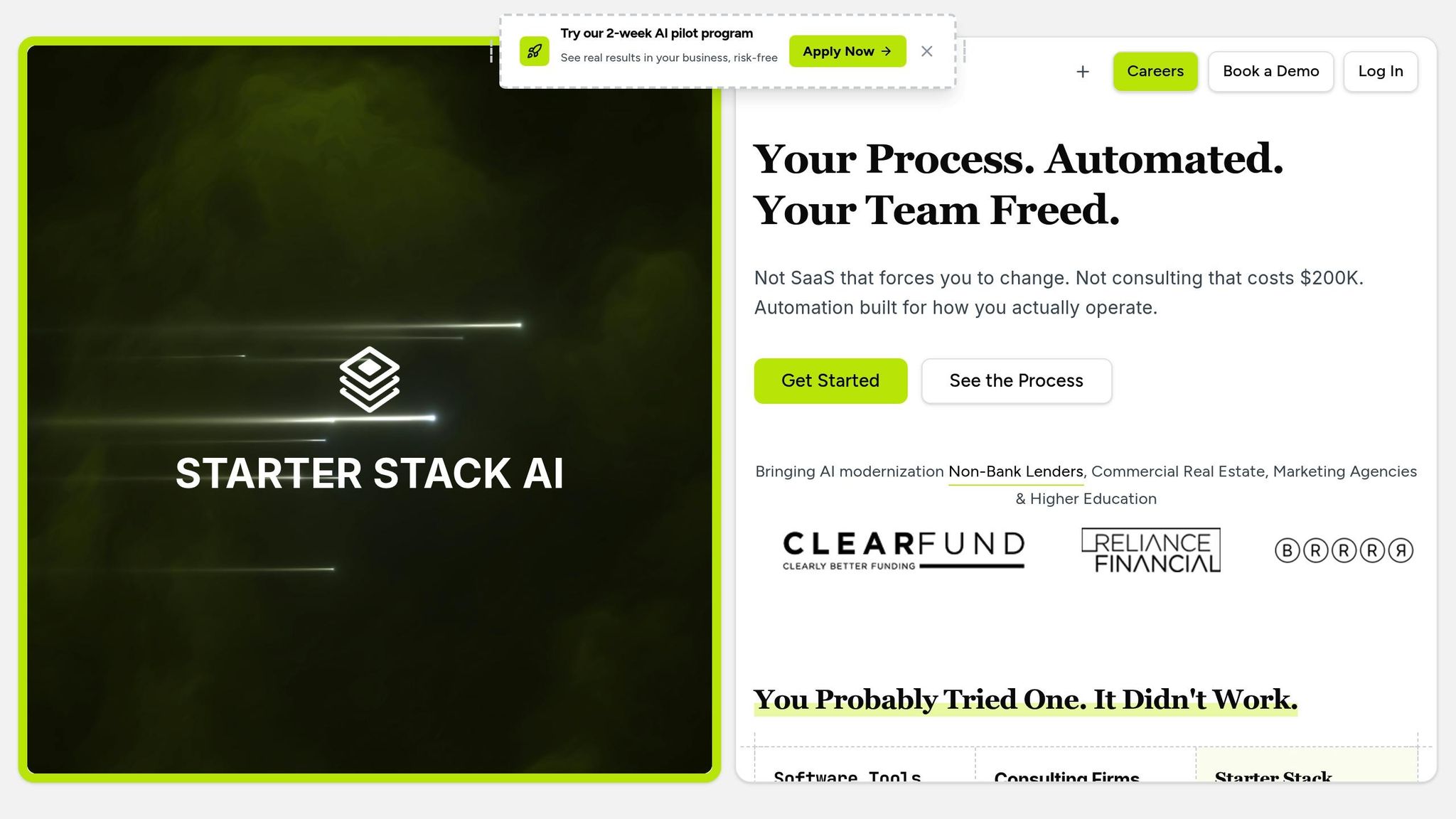
Starter Stack AI simplifies AI deployment by combining expert knowledge with AI-driven efficiency. Instead of spending months building internal capabilities or hiring costly consultants, this platform delivers results quickly and effectively.
Here’s the standout feature: operational AI agents are up and running in just 30 days. No waiting for quarters-long timelines. From day one, it deploys automation that’s ready for production. This speed is crucial for US businesses tackling immediate operational challenges. Whether you’re automating client onboarding, streamlining deal reviews, or creating custom dashboards, Starter Stack AI integrates directly into your existing workflows with ease.
Tod Ellington, Chief Operating Officer at Whitestone Branding, sums it up perfectly:
"Starter Stack AI is sort of like this hybrid approach between experts and AI, making it a little faster, but you still have expertise behind it. And you pay a flat fee. I'd rather do that than figure it out myself and have it go faster. Like, you know, MVP up in a week or two or three - that's music to my ears." [1]
Another major advantage is the flat-rate pricing model. Forget the unpredictable fees that come with traditional consulting firms. With Starter Stack AI, you pay one fixed monthly fee, and you retain full ownership of all code and intellectual property. This approach is not only transparent but also cost-effective - consulting firms often charge $150,000–$300,000 over a 6–12 month period for similar results [1].
Now, let’s dive into how their plans are tailored to meet different business needs.
Plan Comparison: Self-Managed vs. Managed
Starter Stack AI offers two flexible plans, designed to cater to varying levels of business involvement and operational needs. Both plans come with no setup fees, no per-user costs, and the freedom to cancel anytime.
| Feature | Foundation Plan | Growth Plan |
|---|---|---|
| Monthly Cost | $5,000/month + usage | $9,000/month + usage |
| Deployment Time | Starts in 30 days | Starts in 30 days |
| Automation Scope | 1 core operation automated | Full business stack automated |
| Weekly Features | 1–2 features minimum | 3–5 features minimum |
| Integrations | Up to 3 third-party systems | Unlimited integrations |
| Applications | Build up to 2 apps | Build unlimited apps |
| User Capacity | Up to 25,000 users/events monthly | Up to 100,000 users/events monthly |
| Support Level | Async support via Slack | Priority support with dedicated contact |
| Improvements | Weekly system improvements | Weekly AI consultations |
| Cost Recovery | Investment recouped in 6 weeks | Investment recouped in 6 weeks |
Whether you’re looking to automate a single core operation or your entire business stack, there’s a plan to match your goals.
US Enterprise System Integration
Starter Stack AI integrates effortlessly with the tools most US businesses already rely on, removing the usual headaches of custom integration. Popular platforms like Salesforce, QuickBooks, Snowflake, and Excel are supported out of the box. This means you can skip the lengthy setup process and dive straight into automation.
What’s more, your team can continue using familiar tools while AI agents handle the heavy lifting behind the scenes. This ensures a smooth flow of data and consistent formatting based on US business standards.
For businesses with unique software needs, Starter Stack AI’s technical team manages custom API connections. This is especially helpful for industries like lending or real estate, where compliance tools and specialized software are often required. With this seamless integration, your AI rollout stays on track, delivering on the promise of fast and efficient deployment.
Deploy an AI Agent to Production in 2 Minutes
sbb-itb-f5716fb
Step-by-Step AI Deployment Guide
Deploying AI doesn't have to be a lengthy, complicated process. With a clear framework, you can go from concept to fully operational AI agents in just days. Here's how to make it happen while tackling the operational challenges many US businesses face today.
Define Business Goals
The first step to a smooth AI deployment is setting clear, measurable goals.
Start by identifying specific pain points in your operations. Are manual tasks like data entry eating up too much time? Is client onboarding dragging on longer than necessary? Pinpoint these bottlenecks and set achievable targets. For example, aim to reduce onboarding time from 10 days to under 5 with 80% automation. Document your workflows so you can track progress effectively.
Realistic timelines are key. While Starter Stack AI enables rapid deployment, your team will need time to prepare, test, and roll out the system. Account for training periods and a gradual implementation process to ensure everything runs smoothly.
Lastly, define your success metrics upfront. Whether it's time saved, fewer errors, cost reductions, or an increase in revenue, knowing what you’re measuring ensures you can demonstrate ROI from day one.
Set Up and Deploy AI Agents
Once your goals are in place, it’s time to get technical. Starter Stack AI simplifies much of the heavy lifting, but understanding the process will help you and your team stay aligned.
Start by auditing your existing systems - whether it’s Salesforce, QuickBooks, or even Excel. Ensure your data is clean, consistent, and easy to access. The platform integrates directly with your current tools, so you won’t need to overhaul your systems. Custom APIs can also be added without disrupting ongoing operations, accommodating everything from compliance tools to unique CRM platforms.
Deployment involves working closely with domain experts who understand your industry inside and out. These experts configure the AI agents to align with your business rules, compliance requirements, and approval workflows. This ensures the system operates seamlessly within your existing processes.
To minimize disruption, AI agents begin with low-risk tasks. As their reliability is proven, they’re gradually assigned more complex responsibilities. This phased approach builds trust and ensures smooth adoption.
Throughout the deployment process, you’ll have access to a dedicated client portal. This tool gives you real-time updates on progress, completed features, and direct communication with your development team. Once everything is up and running, ongoing performance monitoring will help refine and expand the system.
Monitor and Improve Results
Deployment is just the beginning. To get the most out of your AI solution, track its performance and continuously make improvements.
The client portal is your go-to resource for monitoring AI activity. It provides real-time data on completed tasks, processing times, error rates, and overall system usage. Weekly check-ins help fine-tune operations and ensure everything stays on track.
Your success metrics - defined earlier - serve as the foundation for performance evaluation. For instance, if your goal was to cut a review process from 6 days to 1, the system will track actual cycle times and flag any delays. Additional metrics, like task completion rates and user satisfaction, provide further insights for improvement.
System updates play a big role in keeping things running smoothly. Both Self-Managed and Managed plan clients benefit from regular feature releases. Self-Managed plans typically see 1–2 new features weekly, while Managed plans receive 3–5 updates. These aren’t just bug fixes - they’re meaningful upgrades that expand your automation capabilities.
User feedback is invaluable for refining the system. As your team interacts with AI agents, they can identify edge cases, suggest workflow changes, and request new features. This feedback is prioritized, and many updates are implemented within the same week.
Over time, the AI adapts to your business’s unique patterns and decision-making criteria, delivering even greater efficiency. Many businesses start small, automating a single process, and expand as they see results. The platform is built to scale naturally, allowing you to grow without major disruptions or system overhauls.
Best Practices for Speed and Quality
Moving quickly doesn't mean sacrificing quality. The best AI implementations strike a balance between speed and reliability, ensuring they deliver consistent results over time. Here's how to keep standards high while meeting tight deadlines.
US Business Localization
Getting the details right from the start can save you from expensive corrections later. When deploying AI in the U.S., it’s essential to ensure your solution aligns with local language, formatting, and compliance norms.
Language and interface standards are key. All user interfaces, error messages, and system communications should use clear American English. For example, if your team typically uses "purchase orders" instead of "procurement requests", your AI should follow this terminology for consistency.
Currency and formatting must meet U.S. standards. This includes displaying monetary values as $1,234.56, using the MM/DD/YYYY date format, and adhering to other common conventions.
Compliance considerations are non-negotiable. The U.S. Small Business Administration emphasizes the importance of ethical AI use, recommending legal consultation to ensure compliance with local laws and business practices [5]. This includes addressing intellectual property rights and data privacy laws, which can vary by state and industry.
Time zones also matter, especially for distributed teams. Configure AI systems to display timestamps in local time and schedule automated tasks during business hours in your key operating regions.
This attention to localization ensures your AI integrates smoothly into U.S. business environments.
Smooth AI Integration
A successful AI rollout hinges on how well the technology integrates into your existing workflows. Integration challenges are common, especially since many legacy systems weren’t designed to accommodate AI workloads [3].
Leverage your current tech stack. Solutions like Starter Stack AI excel by seamlessly connecting with existing tools - Salesforce, QuickBooks, Excel, and custom APIs - minimizing disruptions and speeding up adoption.
Prepare your data. Clean, consistent data is critical. By ensuring a smooth flow of information from your CRMs and ERPs, you’ll enable AI to perform effectively from day one [3].
Roll out in phases to reduce risks. Start with low-impact tasks where mistakes won’t have serious consequences. For instance, a Head of Data Science at a top investment firm noted that processes like building data pipelines and integrating with CRMs, which typically take months, can be completed in just weeks - or even days - with the right platform [4].
Train your team. Focus training on workflows that will change due to AI implementation. Make sure employees understand what the AI does, when to step in, and how to provide feedback.
These best practices ensure that AI integrates seamlessly into your operations, complementing human expertise rather than replacing it.
Human Oversight and Accountability
AI is a powerful tool, but it’s not a replacement for human judgment. Clear accountability is essential for a successful deployment.
Pair AI with experienced engineers. Starter Stack AI’s approach of combining domain-specific AI agents with skilled engineers ensures senior oversight throughout the process. This is particularly important given that only 29% of professionals feel confident in the production readiness of their generative AI systems [3].
Monitor in real time. Dedicated client portals offer transparency, allowing teams to track AI activity, review completed tasks, and quickly address any issues.
Build feedback loops. Regularly collect feedback to measure model performance and user engagement. This helps refine the system based on actual use cases, ensuring continuous improvement [4].
Prioritize security and governance. Handling sensitive data requires solutions with proven safeguards, such as ISO 42001 accreditation and compliance with evolving regulations [2][3]. For smaller businesses, it’s wise to avoid using free AI tools for proprietary data to prevent it from being included in public datasets [5].
Document everything. Maintain detailed records of AI decisions, including inputs, processing logic, and outputs. This documentation is invaluable for audits, troubleshooting, and refining your system.
The goal is to use human expertise where it’s most impactful, while letting AI handle repetitive tasks efficiently. This balance ensures both accountability and productivity.
Conclusion: Getting Value from Quick AI Solutions
Implementing AI doesn’t have to be a drawn-out or overly complicated process. By focusing on the right strategies, tools, and practices, businesses can see tangible results from quick AI solutions.
Summary of Steps and Tools
To deploy AI effectively and efficiently, preparation and the right technology stack are essential, paired with a well-structured process.
The right platform can make all the difference. Starter Stack AI combines domain-specific AI agents with skilled engineers to deliver both speed and reliability. Plus, it integrates effortlessly with widely used U.S. business tools, ensuring a smooth implementation.
A structured deployment process keeps everything on track. This includes setting clear business objectives, systematically deploying AI agents, and continuously monitoring performance to refine and improve outcomes. This approach has already proven its worth across industries like finance and real estate.
Speed doesn’t have to compromise quality. When done right, quick AI implementation ensures that your AI solutions align with your team and customers, thanks to U.S.-specific localization. Seamless integration minimizes workflow disruptions, while human oversight ensures accountability, catching potential issues before they escalate.
Preparation, reliable tools, and disciplined execution form a winning combination that allows businesses to achieve results in weeks rather than months.
Next Steps to Get Started
Start by evaluating your current infrastructure and team readiness. This assessment will help you identify any gaps to address before rolling out AI solutions.
Choose your deployment approach wisely. Starter Stack AI offers two options: Self-Managed ($5,000/month) and Managed ($9,000/month). The Self-Managed plan is ideal for businesses with internal technical expertise, while the Managed option provides hands-on support for more complex needs.
Focus on a specific business challenge. Instead of trying to tackle everything at once, start with a well-defined issue, such as automating client onboarding, streamlining deal reviews, or optimizing workflows. This targeted approach makes it easier to demonstrate value quickly.
The companies thriving with quick AI solutions are those that act decisively, with realistic expectations. They understand AI’s role as a tool to enhance human capabilities, not replace them.
If you’re ready to see how quick AI solutions can address your unique business challenges, now is the time to act. With all the necessary tools and strategies at your fingertips, you can secure a competitive edge by following this disciplined approach.
FAQs
How does Starter Stack AI protect data privacy and ensure compliance with U.S. business standards during AI deployment?
Starter Stack AI places a strong emphasis on data privacy and compliance, following stringent U.S. regulations like GDPR, CCPA, and specialized standards such as HIPAA for healthcare. Our solutions are built with advanced security features, including data encryption, secure storage, and strict access controls, to keep sensitive information safe.
We also equip businesses with tools to tailor their AI systems to meet specific compliance requirements. By continuously monitoring and adapting to regulatory changes, Starter Stack AI ensures your AI solutions meet the highest standards for privacy and security - allowing you to focus on innovation with confidence.
What are the key differences between the Foundation Plan and the Growth Plan from Starter Stack AI?
Starter Stack AI offers two plans tailored to different stages of business development: the Foundation Plan and the Growth Plan.
The Foundation Plan is perfect for businesses dipping their toes into AI. It provides the essential tools and features needed to get AI solutions up and running, helping tackle operational challenges with ease.
For businesses looking to scale, the Growth Plan steps in with advanced features, higher usage limits, and enhanced support. This plan is designed to help organizations expand their AI capabilities without a hitch.
For a closer look at pricing or a detailed comparison of features, check out the plan details directly from Starter Stack AI.
How can mid-sized businesses prepare their teams to adopt AI solutions quickly and effectively?
To get ready for adopting quick AI solutions, mid-sized businesses should prioritize developing the right skills within their teams. This means transitioning from traditional roles to AI-focused positions, such as data scientists, machine learning engineers, and data analysts. Offering training programs and upskilling opportunities can help employees confidently navigate and utilize AI technologies.
Equally important is evaluating your organization’s current state - this includes reviewing your data readiness and technical infrastructure. Establish clear, achievable goals and milestones to steer the transition effectively. When team expertise aligns with your AI strategy, your business can make the most of these tools and stay competitive in a fast-changing landscape.